
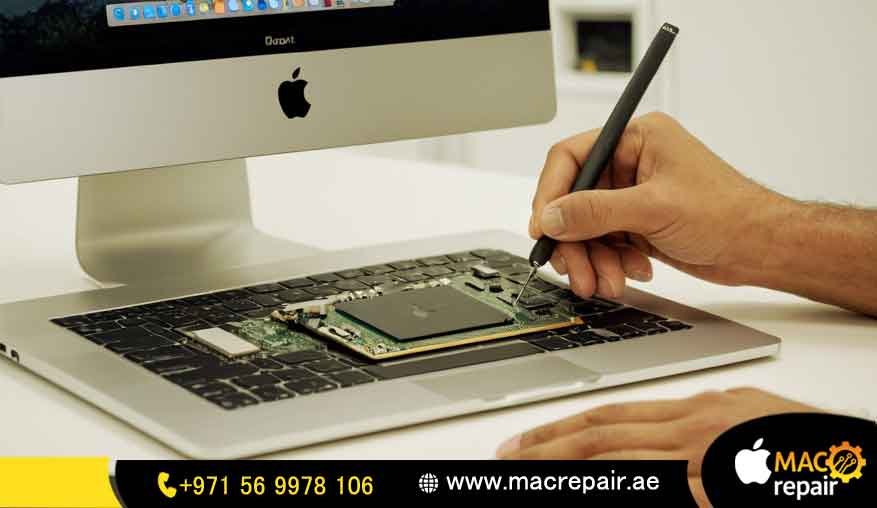
MacBook Repair: The Best Place for Your MacBook RAM Upgrade in RAK. Are you seeing that annoying little spinning beachball cursor a lot? Does your MacBook feel like it’s taking a short nap every time you try to open Photoshop or even just switch between Chrome tabs? If you’re working in Ras Al Khaimah and dealing with slow apps and freezes, don’t worry—your MacBook isn’t old news yet! It’s just really, really hungry for more memory. Come meet us at MacBook Repair. We are the go-to MacBook specialists, and we offer the absolute best MacBook RAM upgrade service in RAK. We do more than just swap out a tiny part; we bring your Mac’s speed back to life. You’ll be able to multitask easily and finally get things done, whether you’re deep into video editing or just juggling fifty browser tabs.
Our whole aim is to give you the most trustworthy, quickest, and most affordable MacBook RAM upgrade RAK UAE service around. This way, you get top-notch performance without having to shell out big money for a brand-new machine. Seriously, stop fighting with that digital slowdown. Let’s get your MacBook back to being the fast and responsive workhorse it was meant to be.
Need a Performance Boost Today?
Give Our Ras Al Khaimah Experts a Call Right Now for a Free Price Estimate!
Why MacBook Repair is the Smart Choice for Your MacBook Memory Upgrade in Ras Al Khaimah, UAE
When it comes to something important like a memory upgrade, which is a critical hardware job, you need to pick the right people. You deserve real know-how, parts you can trust, and careful service that respects how complex Apple devices are. Here at MacBook Repair, we’re so proud to be the certified MacBook RAM upgrade RAK UAE provider in this area, setting the gold standard for good quality and honesty. Because we’re Ras Al Khaimah MacBook specialists RAM upgrade, your precious device is only touched by technicians who really understand Apple’s inner workings. We only focus on fixing Macs and Laptops, which means our knowledge is super deep, not just a little bit of everything.
Guaranteed Performance: Genuine Apple-Compatible RAM Upgrade MacBook RAK
The quality of the RAM (Random Access Memory) chip is the single biggest thing that decides if your upgrade will be successful or not. Using cheap memory can cause your system to crash, become unstable, and, in the end, just waste your time and hard-earned money. We totally guarantee the speed and lifespan of your upgrade because we only use genuine Apple-compatible RAM upgrade MacBook RAK modules. These parts meet or even beat the very strict standards your specific MacBook model needs. This commitment to using the best quality components is what makes a simple MacBook memory upgrade in RAK UAE turn into a major performance jump. You don’t just get bigger memory; you get a guarantee that your system will be stable and super-fast.
The Same-Day MacBook RAM Upgrade RAK Service You Can Trust
In the busy business world of the UAE, every hour your computer is down is money or opportunity lost. That’s exactly why we made a specialty of offering the MacBook RAM upgrade same-day RAK service. For most models that can be upgraded, our simple, quick process, ready availability of authentic parts, and skilled technicians mean we can finish the whole memory change procedure in just a few hours. When you’re looking for a same-day MacBook RAM upgrade, you’re hoping for speed plus total dependability, and that’s precisely what MacBook Repair gives you. We make sure your laptop is back in your hands, often on the same day you bring it in, and running faster than you ever imagined!
Transparent Pricing: How Much Does a MacBook RAM Upgrade Cost in RAK?
We know money matters a lot when you’re making a decision. That’s why we make sure our prices are completely clear right from the start. When you ask, “How much does a MacBook RAM upgrade cost, RAK?” we give you a detailed breakdown of the price, which depends on your MacBook model and the memory size you need (maybe 8GB, 16GB, or 32GB). Our MacBook RAM upgrade price in Ras Al Khaimah is very competitive; it starts at a great price and includes the cost of the high-quality RAM chip and the professional work our team does. We truly aim to be the most affordable MacBook RAM upgrade RAK UAE company that absolutely never cuts corners on part quality or service. This means you get the best possible bang for your buck.
Is Your MacBook Slow? Some Clues You Need a RAM Upgrade and Replacement
A slow MacBook is more than a little headache; it really slows down your everyday work. Lots of people just assume their machine is just getting “old,” but actually, the problem is often not having enough memory. Learning the signs you need a MacBook RAM upgrade is step one to getting your fast workflow back. These signs often show up as choppy videos, delays when you switch between big apps like Photoshop and Safari, or that scary message saying “Application Memory is Low.” If you look at your Activity Monitor and see high memory pressure all the time, that’s a definite signal that a MacBook RAM replacement Ras Al Khaimah is needed to ease the stress on your system. We do a free check of your memory usage as part of our check-up to make sure we know exactly what is causing the slowness.
Boosting Speed: MacBook RAM vs SSD Upgrade Benefits Explained
When people talk about making their computer faster, they often think about both RAM and SSD upgrades. It’s super important to know the difference so you choose the right fix. RAM (Random Access Memory) is what manages all the things your system is doing right now-it controls how many programs and files you can run at the same time without things slowing down. An SSD (Solid State Drive) upgrade changes how fast your Mac turns on and how quickly your files load. The MacBook RAM vs SSD upgrade benefits work together, but if your main issue is struggling to multitask, getting more RAM will give you a much bigger, noticeable boost to how smooth and responsive your workflow feels. We can look at how to check MacBook memory usage before upgrade and then tell you whether a RAM boost or a faster storage drive (or both!) will help your specific needs the most.
The MacBook RAM Upgrade Workshop: Which Models Can You Upgrade?
MacBook design has changed a lot over the years, making the question of which MacBook models allow RAM upgrades a little tricky. Our MacBook Pro RAM upgrade workshop in Ras Al Khaimah is focused on knowing the exact steps needed for every single generation.
MacBook Older Model RAM Upgrade Ras Al Khaimah (2009-2012): These older machines, like the non-Retina MacBook Pro, usually have RAM slots that are easy to get to and upgrade. We can really speed up their performance to 16GB or even 32GB, giving these tough old machines a brand-new life.
MacBook Pro Retina (2012-2015) & Most MacBook Air: In these models, the RAM is soldered right onto the main board, which means you can’t just swap out the modules normally. For these, we focus on making them run as well as possible through smart setup and fixing any storage speed issues they might have.
MacBook Air RAM Upgrade in RAK: Most MacBook Airs have the RAM soldered on. But our expert knowledge lets us spot and service the very few models that do allow some specific component upgrades. We promise we will never sell you a service that just isn’t possible, you know?
Understanding the Limits: MacBook M1/M2 RAM Upgrade Possibility RAK
With the newer Apple Silicon chips (M1, M2, M3), the memory is actually built directly into the main chip (System-on-a-Chip, or SoC). So, officially, the answer to “can you upgrade MacBook RAM after purchase” for these latest devices is no. But don’t worry! Our technicians are here to give you expert advice on the MacBook M1/M2 RAM upgrade possibility. We focus on helping you get the maximum efficiency from your built-in memory, cleaning up your macOS environment, and suggesting ways to manage your memory better. We make sure our advice is always based on facts, so you don’t waste time or money on impossible upgrades.
Book Your MacBook RAM Upgrade RAK: Our Easy 3-Step Process.
We made our service plan to be the simplest and least stressful option for any MacBook repair RAK RAM upgrade included. Our easy, three-step method means very little time away from your work, letting you quickly book a MacBook RAM upgrade RAK and get back to your full speed.
- Free Check-up & Quote: Just call us or fill out our simple online form. We’ll check your MacBook model, talk about what’s slowing you down, and give you a straight-up, final price for the memory upgrade.
- Pickup/Drop-off & Service: You pick what’s easiest for you: use our super-convenient pickup and delivery service, or you can drop your MacBook off at our special service center. Our certified technicians then do the memory replacement job with utmost care and skill.
- Performance Test & Return: We run detailed tests after the upgrade to make sure everything is stable and that the speed boost is real. Once we certify it’s perfect, your upgraded MacBook comes right back to you, ready to use right away, often that same day.
Hassle-Free Logistics: MacBook Upgrade Memory RAK Pickup and Delivery Service
We totally get that traffic and time are big deals in Ras Al Khaimah. To make things as easy as possible, our MacBook upgrade memory RAK pickup and delivery service covers all the main spots in the emirate. Just contact us, and our friendly team will handle the secure pickup and drop MacBook RAM upgrade process right from your house or office. This means you don’t have to worry about the trip; we make the whole upgrade process super smooth and easy for you.
Our Technical Standard: The MacBook RAM Replacement Procedure
Doing a successful MacBook RAM replacement in Ras Al Khaimah requires really good technical skill and following a strict set of rules. Our process includes a very careful, detailed checklist:
Backup Tip Before Service: We always strongly suggest you make a complete copy of all your data before we do any big hardware work.
Static Shock Protection: Our technicians wear special anti-static wrist straps and work on special mats to stop any accidental electric shocks (ESD), which could easily damage small parts.
Careful Part Handling: We use specific tools to open the computer, and we are extra careful to remember where every single screw came from-a really important step that some amateur fixers might miss.
Perfect Match for Modules: We double-check that the new memory chips match all the right details (like the type, speed, and size) for your specific Mac model. This makes sure it works perfectly and reliably.
Safe Installation: The new RAM is put in with professional care, making sure it sits correctly and clicks into place securely for good connection and long-lasting performance.
Post-Upgrade Care: Warranty and Performance Testing
Our job doesn’t stop once the RAM is installed. We stand behind our work with a full warranty that covers all the parts and our labor. After the physical upgrade, your MacBook goes through several intense speed checks to confirm it’s stable and that the new memory is fully recognized by the macOS. This serious performance testing makes sure that when you get your MacBook back, it’s working flawlessly and you’re getting the big speed increase we promised. We give you a long-term guarantee because we are confident in our high-quality parts and the expertise of our certified MacBook RAM upgrade RAK UAE team.
Making the Investment: MacBook RAM Upgrade RAK vs New MacBook Cost Analysis
For many people, the main dilemma is whether they should upgrade their current machine or buy a brand-new one. If you have an older model that can be upgraded, the MacBook RAM upgrade RAK vs new MacBook cost comparison shows that upgrading is almost always the smarter financial choice. Boosting the RAM and maybe the storage drive can give you a perceived speed increase of 50% or more, but it only costs a fraction of what a new device would. This smart, budget-friendly move not only keeps thousands of Dirhams in your pocket, but it also extends the life of a perfectly good machine, making it a responsible and very smart investment. We’re here with the know-how to help you make this informed and strategic decision.
Find Your Ras Al Khaimah MacBook Specialists: MacBook Repair Near Me.
When you need something fixed fast, searching for a “MacBook RAM upgrade near me RAK” should lead you right to the dedicated local experts you need.MacBook Repair is conveniently set up to serve the whole emirate, so everyone living and working here has fast access to a professional MacBook service centre in Ras Al Khaimah, RAM upgrade. Being local means you get faster service, you can talk to us directly, and we truly understand what the RAK community requires. You don’t need to ship your valuable laptop far away; the expertise you need is right here.
The Premier MacBook Service Centre Ras Al Khaimah
As the top MacBook service center in Ras Al Khaimah, RAM upgrade, we are more than just a repair shop; we have a proper, dedicated workshop. Our place has all the latest tools for checking and fixing the sensitive Apple hardware. Our technicians are not just general repair guys; they are highly-trained, Ras Al Khaimah MacBook specialists and RAM upgrade experts who have a deep, unique understanding of Mac operating systems and how components should fit together. Whether your Mac is a classic Unibody MacBook Pro or a newer one needing very careful handling, it is in the most secure, most professional hands in the entire region.
Frequently Asked Questions (FAQ) about MacBook RAM Upgrade in RAK
We think customers who know more are the best. Here are the answers to the questions we hear most often about getting a MacBook RAM upgrade in RAK.
Can I lose my data during a MacBook RAM upgrade?
Nope, you can’t. The RAM upgrade only involves the memory modules, not the hard drive or SSD, where all your files are saved. As the MacBook repair RAK RAM upgrade included experts, we follow very strict safety rules to make sure there’s zero chance of risk to your data. Still, just as a good habit, we always tell people to back up their data before any hardware work.
How long does the same-day MacBook RAM upgrade usually take?
For most models we can upgrade, our aim is to finish the entire service, including testing it afterward, within 2 to 4 hours of you dropping off your device. This commitment is central to our promise of same-day MacBook RAM upgrade RAK service. We focus on being quick but without ever rushing the detailed work needed for a high-quality, long-lasting upgrade.
What kind of warranty do I get for the upgraded RAM?
We give you a full warranty that covers both the genuine Apple-compatible RAM module and the work our team does. This warranty usually runs from 90 days to a whole year, depending on the exact memory part we install. It gives you long-term peace of mind and total faith in the quality and durability of your new upgrade.
Is a MacBook RAM upgrade needed if I already have a fast SSD?
Yes, it is! A fast SSD helps your files load quicker, and your computer starts up faster, but it just can’t do the job of RAM. If you are doing several things at once, using apps that need a lot of memory, or keeping many browser tabs open, even a fast SSD will struggle if you don’t have enough RAM capacity. Having the right amount of RAM is essential for active speed and keeping your multitasking smooth.
Ready to Upgrade? Contact Your Affordable MacBook RAM Upgrade RAK Team
Stop waiting for your computer to play catch-up! You can start working at the speed you think. Your boost in productivity is just one quick phone call away. As the affordable MacBook RAM upgrade RAK UAE experts, we are eager to revive your machine with guaranteed parts and our reliable same-day service. LeMacBookok Repair shows you why we are the best choice for all your MacBook memory and speed needs right across Ras Al Khaimah.
Free Diagnosis & Quote
Take that first simple step towards a much faster MacBook by getting in touch with us today. We’re offering a Free Diagnosis & Quote for your memory upgrade. There’s no pressure to book, just honest, expert advice on the best way to supercharge your MacBook’s performance.
Contact us
📞 +971 56 9978 106 | 📧 info@macrepair.ae | 🌐 www.macrepair.ae