Expert Macbook Pro SSD Upgrade Oman: Guaranteed Speed Boost by Certified Technicians
You know that feeling: the beach ball spinning non-stop, the painfully slow startup, and those annoying “Storage Full” messages popping up. Those are the frustrating signs that your good old MacBook Pro is finally struggling because of its slow storage. Here at macbook Repair, we are experts at giving your Mac a whole new life. We offer the best Macbook Pro SSD Upgrade Oman service that changes that slow, sluggish feeling into lightning-fast responsiveness. Our main goal is simple: to give Mac users all across the Sultanate a professional, local upgrade that makes your machine run not just like new, but even better than before.
Eliminate Slowness: Get Your Same-Day MacBook SSD Oman Installation and Fast Data Migration
We know you rely on your MacBook Pro for everything-important work, creative projects, or your daily school tasks-and any time it’s down, it costs you. Because of that, our focus is always on doing great work, quickly. We offer a swift, complete service and can often finish your Same-Day MacBook SSD Oman installation. Our process involves careful planning and the super important Fast Data Migration Service to make sure you lose zero data. Our technicians are certified by Apple and use only the very best parts. This blend of technical skill and great customer convenience is why you should choose us. When you do, you’re choosing guaranteed long life for your Mac and the ultimate MacBook Pro Speed Boost Oman.
The Core Problem: Why Your Mac Needs a Professional Internal SSD for MacBook Pro Installation
Lots of people complain about apps loading slowly and the system being sluggish, and they think their Mac’s processor or memory is the problem. But many times, especially with older models, the real hold-up is the ancient Hard Disk Drive (HDD). Changing to a Solid State Drive is not just a small improvement; it’s a huge shift in how your Mac uses data. A Professional Internal SSD for MacBook Pro Installation is the number one most effective way to unleash your machine’s hidden power.
The Difference: HDD Bottleneck vs. SSD Lightning Speed
Traditional hard drives work by spinning metal discs and having little arms (called read/write heads) move around to find data. This physical movement creates a lot of delay, making everything from booting up the system to opening big files terribly slow. This mechanical way of working is the biggest roadblock to getting better Mac Performance Improvement Oman. On the other hand, an SSD uses flash memory (think of a giant, super-speedy USB stick) with absolutely no moving parts. This gives you practically instant data access time, gets rid of fragmentation issues, and gives you a dramatic MacBook Pro Boot Speed Fix. Swapping out that mechanical MacBook Pro Hard Drive Replacement for a solid-state unit instantly makes apps launch faster, multitasking smoother, and transferring files almost instant.
Critical Signs You Need a MacBook Pro Hard Drive Replacement
Ignoring problems with your storage is very risky and can lead to losing all your important files. If you frequently see that horrible spinning beach ball, find apps freezing up, or have to wait forever for the login screen, your hard drive is probably failing or causing a severe bottleneck. Other worrying signs that mean you need an immediate MacBook Pro Hard Drive Replacement include clicking noises coming from inside the Mac, frequent errors when opening files, or files just suddenly disappearing. Our MacBook Pro Repair Oman diagnostic check can accurately look at your existing drive’s health, confirming that upgrading now is the safe step your device definitely needs.
Increase MacBook Pro Storage Expansion: Choosing the Right SSD and Compatibility
You know, MacBook Pro SSD upgrades are not all the same. Apple used so many proprietary connectors across different years that using the wrong SSD can be totally incompatible or actually make your Mac run worse. Our job as your trusted service is to manage all these technical details, guaranteeing perfect MacBook Pro SSD Compatibility and the best possible performance for your specific model, allowing for big MacBook Pro Storage Expansion.
SSD Standards Explained: SATA SSD Upgrade MacBook Pro vs. PCIe/NVMe
The kind of technology inside your MacBook Pro tells us exactly what kind of SSD you need. Generally speaking, MacBooks fall into two groups for upgrades:
Older Models (Pre-Retina/Unibody): These Macs, like the very common MacBook Pro A1278 SSD Upgrade models, use a standard 2.5-inch drive bay. This means they need a SATA SSD Upgrade MacBook Pro. This is a simple, cost-effective way to get a major speed jump and add a lot more storage than the factory ever offered.
Retina Models (2012–2015): These are more modern machines that use special blade connectors for storage. This requires a unique module, usually a high-speed PCIe SSD, for a successful MacBook Pro Retina SSD Upgrade. These blades are much faster than SATA, and we ensure the replacement drive meets or beats the Mac’s original performance.
For the newest MacBook Pro models (2016 and newer, except for some 13-inch versions), Apple solders the SSD directly onto the logic board. We can’t perform internal upgrades on these models; however, we can recommend excellent external storage solutions or carry out advanced logic board repair if your SSD fails. For every MacBook that does support upgrades, we carefully choose the correct part-whether it’s the proper PCIe blade or the right M.2 SSD adapter for MacBook-so the upgrade fits perfectly.
Choosing the Right Capacity: 500GB, 1TB SSD Upgrade MacBook Pro Oman, and Beyond
Deciding on the storage size for your new SSD is a really important choice that balances how much you spend now and how long the drive will last you. Many people find that the 1TB SSD Upgrade MacBook Pro Oman is the perfect middle ground, offering enough space for professional needs and great overall value. For heavy users-like video editors or programmers-we suggest 2TB or even 4TB to get the most MacBook Pro Storage Expansion possible. Our team talks with you to see how much data you are using now and how much you might need later, recommending the perfect drive size so you never worry about running out of space again.
The Secure Process: Professional MacBook SSD Installation and Fast Data Migration Service
The reason we are known as the Best Mac Upgrade Service Oman is because our process always puts technical excellence and your data safety first. Our three-step workflow guarantees your upgrade is quick, perfect, and totally secure, often turning your slow machine into a powerhouse with a possible Same-Day MacBook SSD Oman turnaround.
Pre-Installation Diagnostic and Model Verification (MacBook Pro A1278 SSD Upgrade Check)
Before we start changing any hardware, our Certified Apple Technician Oman performs a thorough diagnostic check on your Mac. This includes looking at the health of the logic board, checking the hard drive cable (which can sometimes break), and most important, confirming the exact model number and the precise SSD type needed. This check is crucial, especially for common upgrades like the MacBook Pro A1278 SSD Upgrade, where a simple cable issue can look like a dead hard drive. This careful first step stops us from misdiagnosing problems and ensures we use the correct parts every time.
Precision SSD Installation and Data Cloning (Fast Data Migration Service)
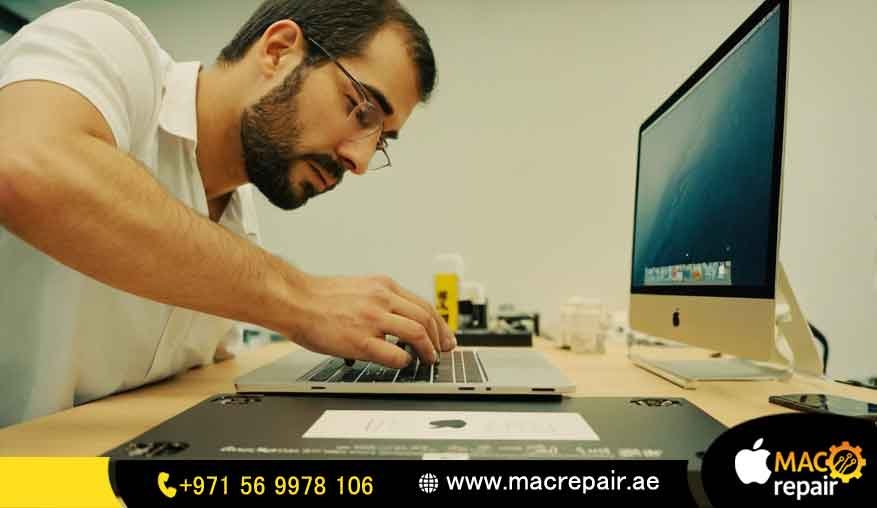
Once we have the perfect drive, our technicians perform the Professional MacBook SSD Installation in a static-free area. The old drive is gently removed, and the new SSD goes in. The next step, which is the most vital, is the Fast Data Migration Service. Using special, high-speed cloning tools, we make an exact, bit-by-bit copy of your old hard drive onto the new SSD. This means your operating system, all your apps, settings, and personal documents move over without a hitch. When your Mac starts up with the new drive, everything will be exactly where you left it-just way, way faster. This is how we are able to promise Same-Day MacBook SSD Oman delivery for most cases.
Post-Installation Testing and OS Optimization
An installation is only done when we can prove it works well. We run a series of intense tests to confirm the new SSD is working at its fastest speeds and that the system is stable even when working hard. What’s more, for third-party SSDs, we make sure all the necessary system tweaks, like turning on TRIM support, are correctly set up. This final step guarantees you get the full MacBook Pro Speed Boost Oman and confirms your machine is running at maximum efficiency before you get it back.
Transparent SSD Replacement Price Oman and Local Coverage (Muscat to Salalah)
We understand that you value performance, but you also need good value for money. When you look up the SSD Replacement Price Oman, you deserve clear information. Our pricing structure has no hidden fees because we give you one comprehensive price based on your exact MacBook model and the storage size you want.
What Influences the SSD Replacement Price Oman?
The final bill for your upgrade is mainly based on three things, which helps us provide a customized and Affordable MacBook SSD Upgrade Oman:
SSD Capacity: A larger drive, such as the popular 1TB SSD Upgrade MacBook Pro Oman, naturally costs more for the part itself.
SSD Technology: The faster, proprietary blades needed for a MacBook Pro Retina SSD Upgrade are more expensive than the standard SATA drives used in older models.
Installation Complexity: Macs with soldered storage need specialized tools and more complicated data handling, which affects the labor part of the SSD Upgrade Muscat Price. We always show you a clear breakdown of the part cost versus the expert service cost.
Why macbook Repair Offers the Affordable MacBook SSD Upgrade Oman with Premium Quality
We firmly believe that having an Affordable MacBook SSD Upgrade Oman should not mean sacrificing quality. To keep our prices competitive, we work directly with top suppliers and pass those savings straight to you. Additionally, we use only high-quality, warrantied SSDs from reliable brands—such as the high-performance OWC Aura SSD Oman models for certain Macs-that meet or exceed Apple’s standards. Unlike cheaper services that rely on low-grade parts, our commitment to quality ensures long-term reliability and gives you a truly lasting Mac Performance Improvement Oman.
Local Convenience: MacBook Storage Upgrade Muscat and Reliable Mac Repair Salalah
As a dedicated Oman Laptop Upgrade Services provider, we make sure we can reach you anywhere in the country. Our main workshop is located conveniently for walk-in service for MacBook Storage Upgrade Muscat customers. In addition, we offer safe, tracked courier services for people who need Reliable Mac Repair Salalah or are located anywhere else outside the capital. We take care of collecting and delivering your valuable device, handling it with extreme care and keeping your downtime to an absolute minimum.
Expert Solutions for Every MacBook Pro SSD Failure Solution and Storage Fix
We are specialists who fix things others call “unrepairable.” Our expertise goes way beyond simply swapping a part. We provide the deep, technical knowledge needed to offer a full MacBook Pro Repair Oman solution.
Reviving Older Models: The Old MacBook Pro Storage Fix
Many older MacBook Pro models still have enough processing power for today’s tasks but are severely held back by their slow 5400 RPM hard drives. Our Old MacBook Pro Storage Fix is a simple, targeted upgrade: replacing the old HDD with a blazing-fast SSD. This one hardware swap is usually the most budget-friendly way to get the biggest MacBook Pro Speed Boost Oman, instantly making a seemingly obsolete machine a highly useful tool again for much less than the cost of buying a new laptop.
Beyond Simple Replacement: Diagnosing MacBook Pro SSD Failure Solution
A completely failed SSD can be devastating, especially if you lose important data. Our technicians are skilled at diagnosing and recovering data from broken drives before the replacement happens. Whether your problem is a corrupt SSD, a bad cable, or a total drive malfunction-which we see often as a MacBook Pro SSD Failure Solution-we have the tools and experience to try and save your data as part of the whole service package. This commitment to keeping your files safe is what makes us the most Trusted MacBook Pro Upgrade Service Oman.
Frequently Asked Questions (FAQs) – Your Best Mac Upgrade Service Oman Partner
Q: What is the average SSD Replacement Price Oman?
A: The SSD Replacement Price Oman changes based on the size of the drive and the type of storage your MacBook Pro uses. SATA drives are cheaper than those special proprietary PCIe blades. We give you a full quote that covers the quality SSD, the expert work, and the Fast Data Migration Service. Just contact us for a quick, free quote based on your Mac’s serial number.
Q: Can I get a Same-Day MacBook SSD Oman service?
A: Yes, you sure can! For most Mac models, especially those using standard SATA drives or when we have the right parts in stock, we offer Same-Day MacBook SSD Oman installation. We work fast because we know your productivity is super important.
Q: Which is better for my old Mac: SATA SSD Upgrade MacBook Pro or PCIe?
A: If your MacBook Pro (usually 2011-2012 non-Retina models) only supports SATA, then a SATA SSD Upgrade MacBook Pro is the only choice, and it will give you a huge speed boost over the old HDD. If you have a Retina model (2013-2015), you’ll need a special PCIe drive to get the absolute fastest speeds, like those from OWC Aura SSD Oman drives.
Q: Will a 1TB SSD Upgrade MacBook Pro Oman void my warranty?
A: For older MacBooks that are already out of the manufacturer’s warranty, installing a 1TB SSD Upgrade MacBook Pro Oman will not affect any original warranty that is already expired. Our work uses certified parts and professional methods, and it comes with our own service warranty, which gives you peace of mind.
Q: Do you provide Reliable Mac Repair Salalah or just Muscat?
A: We are committed to helping all Mac users throughout the Sultanate. While our main shop is set up to easily serve MacBook Storage Upgrade Muscat customers, we offer secure, tracked courier and drop-off services so we can provide Reliable Mac Repair Salalah and other areas too.
Q: How long does the Fast Data Migration Service take?
A: The time it takes for the Fast Data Migration Service mostly depends on how much data needs to be copied. For a standard 500GB drive replacement, the cloning can take a few hours. We use fast tools to make sure you wait as little as possible.
Q: Is MacBook Pro SSD Compatibility complicated?
A: Yes, MacBook Pro SSD Compatibility is complicated because Apple keeps changing the connectors on their different models over the years. This is why you really need an expert. We take away the guesswork, making sure the right drive and system software are compatible for Macs from the MacBook Pro A1278 SSD Upgrade to the newest Retina units.
Ready for Unprecedented Mac Performance Improvement Oman?
Stop letting a slow hard drive control how productive and creative you can be. Your Mac has so much more power just waiting to be released. With macbook Repair, you get more than just a new part; you get the confidence of a Certified Apple Technician Oman who only works on Mac hardware. We are the Best Mac Upgrade Service Oman because we combine premium parts, technical skill, and local service that can’t be beaten. Come and feel the difference a real Mac Performance Improvement Oman can make.
Contact us
📞 +971 56 9978 106 | 📧 info@macrepair.ae | 🌐 www.macrepair.ae