Expert Macbook Pro RAM Upgrade Sharjah: Get a Guaranteed Speed Boost from Certified Techs
Is your MacBook Pro feeling tired and struggling hard with your work here in Sharjah? That constant lagging, the apps crashing unexpectedly, and the fan making too much noise—these are all annoying signs that your machine is super hungry for memory. At macbook Repair, we do more than just swap out parts; we are experts at tuning up your whole system. We provide the absolute best Macbook Pro RAM Upgrade Sharjah service, done carefully by our talented team, to give you an immediate and lasting MacBook Pro Performance Boost. You can trust our certified people to bring back your Mac’s speed and make it run smoothly again.
Stop Lagging Today: Get Your Same-Day MacBook RAM Upgrade and Fix That Multitasking Problem
When you rely on your Mac for business or creative projects, you really don’t have time to wait. That’s why we focus so much on being fast and precise. We aim to offer a Same-Day MacBook RAM Upgrade for most models, so your life isn’t disrupted for long. Our service gives you the Ultimate MacBook Pro Multitasking Fix. Now you can run all your virtual machines, big editing programs, and fifty browser tabs without it slowing down! We use high-quality, certified parts and guarantee our installation methods, so you get your productivity back quicker than you ever thought possible.
The Core Problem: Why Your Mac Needs a Professional MacBook Pro Memory Increase Sharjah
A lot of Mac users think their computer is slow because the processor is old or maybe they need an SSD. But you know what? The most common reason for everything slowing down is actually not enough RAM (which is just memory). The Mac system and all your apps are fighting over limited memory, and this makes everything drag. A Professional Mac Memory Upgrade is a specific, smart fix that doesn’t cost too much, and it gives you the MacBook Pro Memory Increase Sharjah needs to work properly.
Critical Signs That Demand a Low Memory Warning Fix Mac
When you don’t have enough memory, the signs are clear and very frustrating. For example, if your apps keep freezing unexpectedly, your browser tabs reload every time you return to them, or your Mac’s fans blow loudly even during light work, these symptoms strongly suggest your computer is stressed. In most cases, this happens because your Mac is overusing virtual memory-creating a large swap file-and therefore you need a direct Low Memory Warning Fix Mac. To help you accurately, we examine these issues precisely and then confirm whether a RAM upgrade is the correct solution rather than a simple temporary fix.
The RAM Advantage: How a Professional Mac Memory Upgrade Gives a Real Upgrade MacBook Pro Speed Sharjah
The great thing about adding more RAM is how much it helps with caching and managing resources. When you have more memory, you give the Mac system and demanding software (like video editors or big development programs) lots of room to store their active data. This stops the Mac from having to constantly access the slow internal drive to find memory, which dramatically cuts down on system strain. This immediate memory relief gives you the biggest and most noticeable MacBook Pro Performance Boost, resulting in a real Upgrade MacBook Pro Speed Sharjah that you’ll notice with every single action.
Achieving Max Performance: MacBook Pro RAM Compatibility Check and Technology Standards
RAM upgrades are tricky business because Mac hardware is designed differently across various models. Just buying any random RAM stick is a sure way to make your computer unstable. Our service always starts with a strict MacBook Pro RAM Compatibility Check to make sure the new part works perfectly with the logic board. This prevents expensive mistakes and guarantees maximum performance.
Socketed vs. Soldered: Identifying Your Upgrade Type
Whether we can upgrade your RAM, and how much it costs, depends entirely on how the memory is attached inside:
Socketed Models (Older Ones Before 2013): These MacBooks, like the dependable MacBook Pro 2011 RAM Upgrade and MacBook Pro Mid-2012 RAM Upgrade models, have easily accessible memory slots. Upgrading these systems is simple, saves money, and gives a huge speed improvement for very little cost.
Soldered Models (Retina & Newer): For the newer, thinner MacBooks (from 2013 onward), the memory chips are stuck onto the board permanently. We cannot directly upgrade the RAM. If you are experiencing memory failure on these models, we are one of the few places that offers Component Level RAM Repair Sharjah, but we are honest that this is a very difficult, last-chance service. Usually, we talk about other options instead.
Technical Requirements: DDR3 RAM Upgrade MacBook Pro vs. DDR4 RAM Upgrade MacBook Pro
The technical details of the RAM chip must be a perfect match for your Mac’s internal structure. We make sure your machine gets the right generation of RAM, whether it needs a DDR3 RAM Upgrade MacBook Pro (for older machines) or the newer, faster DDR4 RAM Upgrade MacBook Pro (for newer ones). Using memory with the wrong speed or voltage will definitely make your system crash. Our expertise as a Certified Apple Technician Sharjah means we match these specs flawlessly, guaranteeing your entire system stays stable.
Affordable MacBook Pro RAM Cost and Capacity: The 8GB to 16GB MacBook Pro Upgrade Sweet Spot
Getting the most from your money means picking the right memory size that balances your performance needs with the final Affordable MacBook Pro RAM Cost. We are fully open about all our prices, making sure you get real value without any hidden charges.
Capacity Planning: Why the 8GB to 16GB MacBook Pro Upgrade is Essential for UAE Professionals
While 8GB of RAM was fine a few years ago, today’s Mac system and big applications need more. The 8GB to 16GB MacBook Pro Upgrade is what we consider the perfect upgrade for most working professionals in the UAE. This leap gives you the space needed for easy multitasking—you can run Windows in a virtual machine, handle huge spreadsheets, and use several demanding apps at once without freezing. It’s the standard 16GB RAM Upgrade MacBook Pro UAE that is the minimum needed for comfortable work today. Also, for people doing media work, we always suggest a specific RAM Upgrade for Video Editing Mac, sometimes going up to 32GB to ensure smooth editing and rendering.
Transparent RAM Replacement Price Sharjah: Cost Breakdown and Warranty
We want everything to be clear when talking about the RAM Replacement Price Sharjah. The price we quote you includes everything: the cost of the premium, warrantied Genuine MacBook RAM Modules, the expert labor for installation, and a comprehensive warranty. We explain what affects the final price, like the cost difference between DDR3 and DDR4, and how difficult the installation is. Because we commit to only using certified parts and offering a long warranty, our Affordable MacBook Pro RAM Cost turns into reliable, long-lasting performance.
The Secure Process: Same-Day MacBook RAM Upgrade by Professional Mac Memory Upgrade Experts
We earned our reputation as the provider of the Best Mac RAM Installation Sharjah because we follow a strict, security-focused process. Our three-step method guarantees a quick, perfect, and safe upgrade, making the Same-Day MacBook RAM Upgrade a reality for many of our customers.
FREE Diagnostic Mac RAM Sharjah and Dual-Channel Preparation
Every service starts with a FREE Diagnostic Mac RAM Sharjah. This is a must-do step to confirm that the memory is the problem, not just a software bug or another faulty part. For MacBooks that can be upgraded, we set up the system for a Dual-channel configuration. This technical way of setting up the memory makes sure it works in parallel, effectively doubling the speed and maximizing the gains from the Professional Mac Memory Upgrade.
Precision Installation by Certified Apple Technician Sharjah
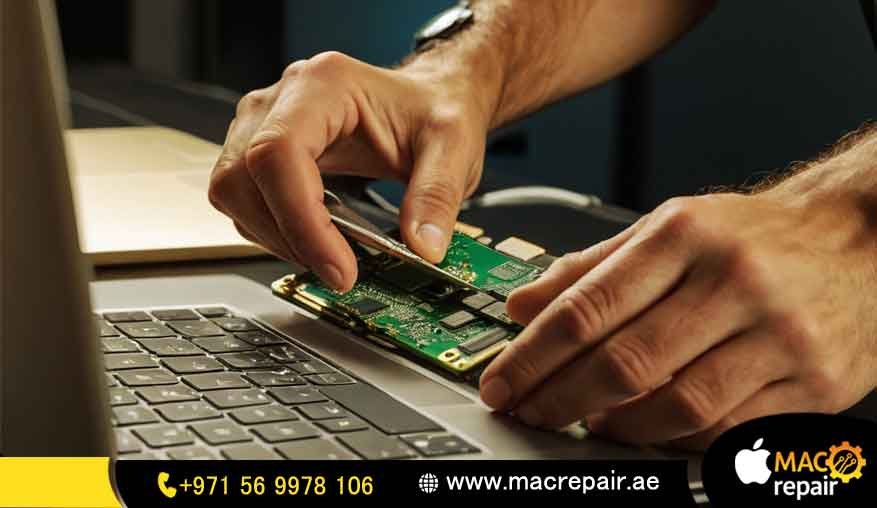
We always install the RAM in a static-free zone using specialized tools. Our Certified Apple Technician Sharjah handles the delicate logic board with great care and makes sure the new memory sticks sit perfectly to avoid any future connection problems. What truly sets our service apart is the way we carefully choose and install parts that the Mac’s firmware will reliably recognize, ensuring a smooth startup and stable performance every time.
Post-Installation Stress Testing and Performance Verification
The job isn’t done until we’ve proven it works perfectly. We run advanced stress tests that push the new RAM to its limit, confirming it is completely stable and reliable under heavy workload. This crucial final step ensures you receive the Best Mac RAM Installation Sharjah, and that the full promised speed boost has been achieved, keeping our promise of the Same-Day MacBook RAM Upgrade.
Local Assurance: Reliable Mac Repair Sharjah and Service Near Sahara Center Sharjah
Choosing a local specialist like macbook Repair means your precious hardware is in the hands of experts who truly understand Apple systems. We offer unmatched convenience and confidence right here in the Emirate.
Why macbook Repair is Your Trusted Sharjah Mac Upgrade Service Partner
Unlike regular Sharjah Laptop Repair Services that treat every computer the same way, we focus only on Mac hardware. This single focus means our technicians have deep, model-specific knowledge, which is so important for a successful and stable RAM installation. We build trust with clear talking and long-term support, making us the most Trusted Mac Upgrade Service choice here.
Convenience Focused: Reliable Mac Repair Sharjah Near Sahara Center
We planned our service location to be super convenient for our customers. People searching for Mac Repair Near Sahara Center Sharjah will find our place easy to get to, making drop-off and pickup simple. We are committed to providing Reliable Mac Repair Sharjah across all areas, even offering dedicated courier services for places further out. We help you Extend MacBook Pro Lifespan Sharjah no matter where you live.
Frequently Asked Questions (FAQs) -Your Best Mac Upgrade Service Oman Partner
Q: What is included in the RAM Replacement Price Sharjah?
A: The final RAM Replacement Price Sharjah includes everything: the cost of the premium, warrantied RAM chips, the expert work by our certified tech, the pre-upgrade diagnostic, and the final stress testing. No hidden fees, my friend.
Q: How do I know if I need a MacBook Pro Memory Increase Sharjah or an SSD?
A: If your Mac slows down a lot when you open many apps or browser tabs, you need a MacBook Pro Memory Increase Sharjah (RAM). If your Mac takes ages just to turn on or open a single big file, you probably need an SSD upgrade. Our FREE Diagnostic Mac RAM Sharjah will tell you exactly which one is the problem.
Q: Do you offer the Same-Day MacBook RAM Upgrade for all Mac models?
A: We offer the Same-Day MacBook RAM Upgrade for all Mac models that have the upgradeable RAM slots and when we have the parts in stock. For newer Macs where the RAM is soldered, this service is not possible because the memory cannot be upgraded internally.
Q: Is a RAM Upgrade for Old MacBook Pro worth the investment to Extend MacBook Pro Lifespan Sharjah?
A: Definitely, yes. A RAM Upgrade for Old MacBook Pro models (like the 2012 one) is the single cheapest way to get the biggest MacBook Pro Performance Boost. It easily helps you Extend MacBook Pro Lifespan Sharjah by several years for everyday and professional use. It’s a smart choice.
Q: What is the benefit of a Professional Mac Memory Upgrade over doing it myself?
A: A Professional Mac Memory Upgrade ensures you get the right, high-quality RAM, protects your delicate logic board from static-electricity damage, and guarantees we install the RAM correctly for maximum speed through dual-channel operation. Plus, our service warranty covers everything, so you avoid the instability and risks that often come with a DIY job.
Ready to Upgrade MacBook Pro Speed Sharjah?
Don’t let memory limits hold back your work or creativity anymore. It’s high time to stop struggling and get the MacBook Pro Multitasking Fix you deserve. Just contact macbook Repair, the Certified Apple Technician Sharjah, for your fast consultation and a custom upgrade plan. We offer the quickest, most Reliable Mac Repair Sharjah service to give you unmatched performance.
Contact us
📞 +971 56 9978 106 | 📧 info@macrepair.ae | 🌐 www.macrepair.ae