MacBook Pro RAM Upgrade In RAK: Expert Service for Maximum MacBook Speed and Performance | macbook Repair UAE
Is your MacBook Pro really struggling when you try to do demanding work? Are you seeing that annoying spinning rainbow beach ball all the time? Slow performance usually happens because of Insufficient RAM, or memory, but don’t worry! While many folks think a memory upgrade is totally impossible, our team at macbook Repair can often give an old machine a whole new life. We are your go-to Mac experts across the UAE, and yes, we offer quick, dedicated service right here for your MacBook Pro RAM Upgrade In RAK. We use all our technical smarts and only the best quality parts to give your trusted laptop a great Performance Boost, so you don’t need to rush out and Buy New Mac.
Why Choose Us for Your MacBook Pro Memory Service?
When you’re choosing someone for something as important as a MacBook Pro Memory upgrade, you need to feel completely sure and trust them to be honest about the tech stuff. Here at macbook Repair, we don’t just swap components. We give you a guaranteed solution based on a proper check-up first, so you get real value for your money. Our whole business is built on being totally upfront, especially about how difficult it is to service newer Mac machines. We are very clear about which models have Soldered RAM (the fixed kind) and which have User Replaceable Memory slots. This saves you valuable time and keeps you from trying unnecessary repairs.
Our technical crew is made up of specialists who have spent years working only on Apple hardware, from the classic Pre-Retina MacBook Pro computers to the latest ones with Apple Silicon. We totally get the tricky details of RAM Compatibility. That’s why we only use top-grade, certified Aftermarket RAM that is as good as, or even better than, the parts Apple used originally. If you’re looking for a Higher Capacity RAM installation, we often know how to push past Apple’s official documented limits on older devices—like installing a whopping 16GB into the MacBook Pro Mid 2012. That’s a common upgrade many normal repair shops don’t know how to do. When your Mac needs some new energy, you can definitely trust the certified Mac experts right here in Ras Al Khaimah.
The Crucial Truth: Which MacBook Pro Models Allow a RAM Upgrade?
This is probably the biggest question for anyone thinking about a MacBook Pro RAM Upgrade. The simple answer comes down to how your laptop was built. Since Apple launched the first Retina display models in 2012, they started gluing the memory permanently to the Logic Board. We give you a super clear explanation so you know what to expect and have an honest service experience with us.
The Upgradeable Heroes: Pre-Retina and Mid 2012 Models
If your MacBook Pro was made sometime between late 2008 and mid-2012, you’re likely in luck! These specific models come with easy-to-reach Memory Slots and use those DDR3 SO-DIMM modules. This older design makes a professional, impactful RAM Installation possible. For example, the very popular MacBook Pro 2012 (the one without the Retina screen, you can spot it because it has a CD drive!) can often be upgraded from its factory 4GB or 8GB to a solid 16GB of Higher Capacity RAM. This extra memory really transforms the old laptop into a machine that handles modern work well, giving you an amazing Performance Boost for much less money than buying a brand new computer. We carefully handle the delicate job of finding the perfect speed and voltage modules to guarantee RAM Compatibility.
The Non-Upgradeable Reality: Retina and Apple Silicon Models
For all models with the Retina display that came out from late 2012 onwards, and every single new Mac with Apple’s M-series chips (like M1, M2, M3), doing a standard MacBook Pro RAM Upgrade is simply not possible. The memory is Soldered RAM-that means the Memory Chip is permanently fixed right onto the Logic Board. So, anyone offering a standard RAM upgrade for these models is misleading people. The only way to improve performance on these Non-Upgradeable RAM machines is either a ridiculously expensive full Logic Board swap for one with more memory, or just installing a faster SSD. We tell you this important truth right away because we value your trust and want to be straight about the facts of Apple’s design.
Understanding Apple Silicon’s Unified Memory Architecture (UMA)
Newer MacBooks running on the M-series chip use Apple Silicon RAM that is built right into the main brain, the System-on-a-Chip (SoC). This cool feature is called Unified Memory Architecture (UMA). UMA lets the main processor, the graphics card, and the neural engine share the same memory pool incredibly fast and efficiently. But, this technical genius means you have a big limitation: the components are Non-User-Serviceable. When you buy an M-series Mac, you must choose your Maximum RAM Capacity right then and there because you can’t upgrade it later. If your M-series Mac is acting slow, it’s usually not a broken RAM piece but just not enough memory for your work, which may mean you might have to Buy New Mac that has enough memory configured from the start.
The Mac Repair RAM Upgrade Process In RAK: Certified Expertise You Can Trust
Our special service method is all about being precise, fast, and dependable, especially for the people living and working in Ras Al Khaimah. We take the stress and guesswork out of getting your Mac upgraded.
Complimentary Model Verification and Diagnostic
We begin with an honest, detailed inspection of your machine. By using your MacBook’s unique serial number, our technicians identify the exact MacBook Pro model year and confirm whether it falls into the user-replaceable memory category. Next, we run advanced diagnostic checks to detect signs of insufficient RAM and ensure that a RAM upgrade will truly deliver the performance boost you expect. If your laptop comes with soldered RAM, we explain the technical limitations right away and guide you toward smarter alternatives, such as an SSD upgrade or targeted software optimization.
Component Sourcing and RAM Compatibility Guarantee
For MacBooks that can be upgraded, we tap into our wide network to find premium, guaranteed Aftermarket RAM. We never, ever cut corners on quality. Our memory modules are perfectly matched to what your system needs, whether that’s DDR3 SO-DIMM for older Pros or other compatible memory. Our promise covers RAM Compatibility with your specific Logic Board. This completely removes the danger of using the wrong parts that can crash your system-a very common risk when following a quick DIY Upgrade Guide. We always try to install the Higher Capacity RAM that the client wants, as long as it fits within the proven, although sometimes unofficial, Maximum RAM Capacity for that model.
Professional RAM Installation and System Stress Testing
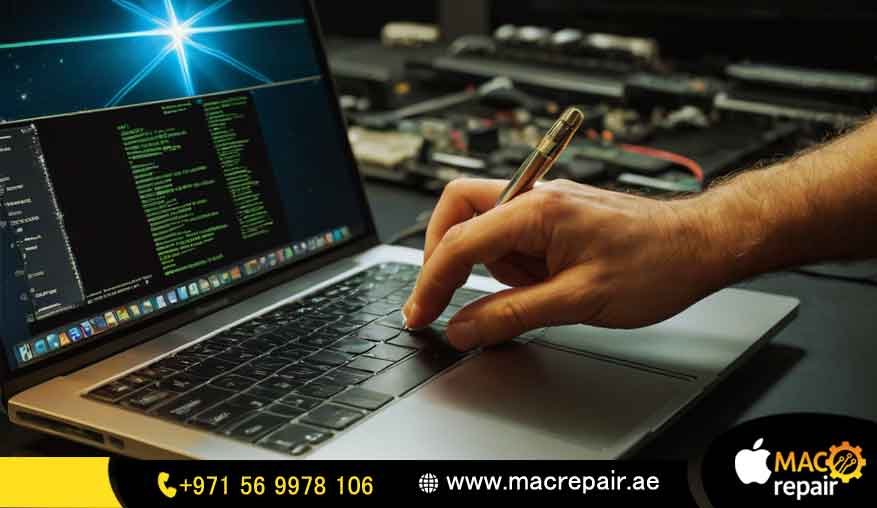
The actual RAM Installation is done by our certified technicians in a static-free workshop. The work is very careful and step-by-step, making sure the new Memory Chip modules are perfectly sitting in the Memory Slots and that nothing else inside is damaged. After the installation, we put the MacBook Pro through a tough stress test. This important final check proves that the new RAM works perfectly under heavy load, confirming the stability and performance of your freshly upgraded MacBook Pro Memory before you get it back, all ready for the hard work you need to do.
The Pitfalls of DIY Upgrade Guide Attempts: Why Professional Service is Essential
It might seem tempting to follow an iFixit RAM or DIY Upgrade Guide for older MacBook Pros, but trying a RAM Upgrade DIY yourself is actually quite risky. While unscrewing things seems easy, the inside of a Mac is incredibly sensitive.
Static electricity acts as a silent killer that can instantly destroy the logic board and turn a simple upgrade into a very expensive full system replacement. In addition, achieving true RAM compatibility requires more than just matching the speed (MHz). You must also match the voltage and timing details precisely. When users mix these up, they often trigger system crashes, error messages, or a Mac that won’t even power on. Our professional service removes all that risk for you. We install the RAM correctly the first time and back our work with guaranteed results and a full warranty-something a basic DIY attempt simply can’t match.
Issues We Fix: Transforming Your MacBook Pro Experience
Our MacBook Pro RAM Upgrade In RAK service is designed specifically to target and fix those frustrating performance problems caused by a lack of memory.
Say Goodbye to Bad Lag and Freezing: The clearest sign of Insufficient RAM is when your system constantly tries to use the slower SSD like temporary memory (we call this ‘swapping’). A memory upgrade cuts this down dramatically, so your apps open faster and you can multitask smoothly.
Fixing the “Spinning Beach Ball” Problem: When your MacBook Pro Speed slows right down to a crawl, it almost always means the memory is choked. Our service gives your computer the instant resources it needs to run many memory-hungry programs at once, ending those annoying wait times you get with a slow system.
Making New Software Work on Older Machines: Older MacBooks with just 4GB or 8GB of original memory really struggle to run the latest macOS updates along with heavy programs like video editing suites or virtual machines. Installing Higher Capacity RAM up to the Maximum RAM Capacity makes sure your machine stays useful and productive for years more.
Repairing Issues After a Failed Upgrade: If you tried a RAM Upgrade DIY and now you see a blank screen or random reboots, our team can figure out what went wrong. It usually comes from bad RAM Compatibility or a faulty Memory Chip. We fix these errors properly and get your machine running steady again.
Costs and Pricing Insight for Your MacBook Pro RAM Upgrade
We believe in being totally open and clear about pricing for all our RAK customers. The price for a MacBook Pro RAM Upgrade can change quite a bit and depends on two main things: your MacBook Pro Model Year and how much Higher Capacity RAM you want (like 8GB or 16GB).
Most of the cost goes toward the Aftermarket RAM parts themselves. For models that can be upgraded, the service fee is a small investment that gives you a huge return in terms of MacBook Pro Speed and extending your laptop’s life. It’s much cheaper than buying a whole new machine. We promise a fixed quote only after our free check-up, confirming the exact DDR3 SO-DIMM or DDR4 SDRAM needed and making sure we stay within the Maximum RAM Capacity limit.
A Quick Note on Non-Upgradeable Models: If you have a Retina or Apple Silicon RAM Mac, we will offer a free consultation on performance tips instead of a RAM upgrade quote. That way, you only pay for solutions that are real and honest.
Why We’re for MacBook Pro RAM Upgrade In RAK (Unique Value Proposition)
Our dedication to people who use Apple devices in the UAE is what makes us the best service provider around.
Technical Honesty and Transparency Is Key
While other shops might vaguely say they can upgrade all Macs, we start by telling you the honest, vital difference between Soldered RAM and units you can upgrade. This openness immediately builds trust and protects you from misleading service attempts. We are experts in dealing with Non-Upgradeable RAM and giving you the best possible alternative advice.
Guaranteed Performance Boost
We don’t just insert memory and hope for the best; we promise a genuine, noticeable Performance Boost. Our 90-day service warranty covers both the new MacBook Pro Memory parts and the RAM Installation itself. Our clients in Ras Al Khaimah constantly tell us about big improvements in how fast their systems respond and how well they can multitask, often saying their old Mac feels quicker than it ever did.
RAK-Specific Convenience and 24/7 Support
Our delivery and collection network is optimized for the whole UAE, with quick, dedicated pickup and drop-off services just for all our RAK customers. We provide support 24 hours a day, 7 days a week, to answer your questions before the check-up, helping you figure out your MacBook Pro Model Year or check your current System Information. This local focus means your machine is out of action for the shortest time possible.
Helpful Advice: Maximizing Your MacBook Pro Speed
Even the best RAM Upgrade works better when you follow a few simple tips to get the most out of your MacBook Pro Speed.
Think About an SSD Upgrade: If your older Mac still uses one of those traditional spinning hard drives (HDD), the single biggest Performance Boost alongside your RAM Upgrade is swapping to a Solid State Drive (SSD). The SSD makes temporary data storage much faster, which helps cover any remaining memory gaps.
Watch Your Memory Use: You should look at your Activity Monitor (it’s in the Utilities folder) regularly to check the Memory Pressure. If the pressure is constantly high (red or yellow), it’s a clear signal of Insufficient RAM or that your system is bad at managing resources.
Do Regular System Cleanups: Make sure to remove unnecessary apps that start up automatically, close programs you aren’t using, and run system health checks now and then. Even an M-series Mac with Unified Memory Architecture (UMA) runs better on a clean operating system, keeping resources free for the main tasks.
Frequently Asked Questions (FAQs) on MacBook Pro RAM and Memory Service
Can I really upgrade my MacBook Pro Mid 2012 to 16GB of RAM?
Oh yes, absolutely! While Apple only officially said the MacBook Pro Mid 2012 (the non-Retina one) could handle a Maximum RAM Capacity of 8GB, technicians have widely tested it and proven the Logic Board can fully support 16GB (using two 8GB DDR3 SO-DIMM modules). We confidently do this Higher Capacity RAM installation for you, giving a powerful Performance Boost that really brings that machine back to life for modern applications.
My 2015 MacBook Pro is very slow. Can you upgrade the RAM?
Sadly, no, we can’t. Your 2015 MacBook Pro is a Retina model, and all Retina Macs made from late 2012 onwards have Soldered RAM. This means it is Non-Upgradeable RAM. The actual Memory Chip is physically built into the Logic Board. We recommend checking the SSD health, optimizing your software, and maybe doing a clean install of macOS to help your MacBook Pro Speed. If it’s very slow and you just can’t deal with the Insufficient RAM, the best long-term option might be to Buy New Mac and make sure you select enough memory when ordering.
How long does the professional RAM Installation service take in RAK?
Once we have your MacBook Pro at our RAK service center, the full job—from checking the model and getting the parts, to RAM Installation and testing—usually takes about 24 to 48 hours for compatible models. We really try to be quick so you have minimal waiting time and get the maximum benefit from your MacBook Pro RAM Upgrade In RAK.
What is Aftermarket RAM, and is it reliable?
Aftermarket RAM just means the memory modules are not sold directly by Apple but are made by trustworthy companies. We only use high-quality, known brands of memory that perfectly match all the technical details (speed, voltage, timing) of the original DDR3 SO-DIMM or DDR4 SDRAM. This memory is thoroughly tested for RAM Compatibility and is guaranteed to be just as dependable as the memory installed in the factory, often letting you get a Higher Capacity RAM for a fraction of the price.
Ready to Experience the Full Speed of Your MacBook Pro?
Stop fighting with that spinning beach ball and unleash the real power of your MacBook Pro today! Whether you just need an honest check on your MacBook Pro Model Year, a professional RAM Installation for an older Pre-Retina MacBook Pro, or expert advice on what to do about Non-Upgradeable RAM, macbook Repair is the trusted partner you need in Ras Al Khaimah and the wider UAE.
Don’t let your system crash because of Insufficient RAM. Get in touch with the macbook Repair experts now!
Contact us
📞 +971 56 9978 106 | 📧 info@macrepair.ae | 🌐 www.macrepair.ae