
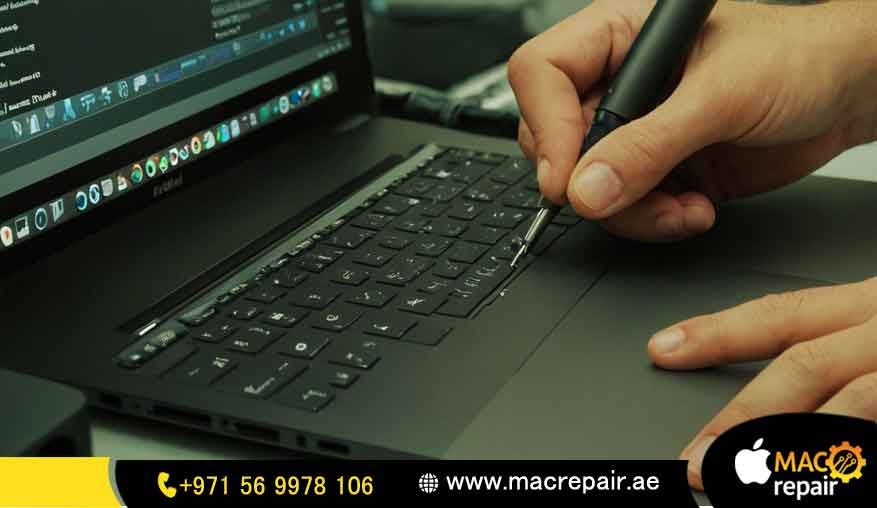
Expert MacBook M1 Speaker Repair -Restoring Apple’s Crystal-Clear, Immersive Sound
Mac Repair Specialists for MacBook Air M1 and MacBook Pro M1 Audio Systems
Apple’s MacBook M1 lineup is universally admired not only for its revolutionary lightning-fast performance (thanks to the integrated M1 chip) but also for its incredibly sleek design and truly immersive audio system. The sound quality on these machines—especially the spatial audio capabilities of the MacBook Pro M1—is a critical feature for users, from creative professionals to everyday streamers.
However, even with Apple’s engineering excellence, speakers are still external components prone to wear, environmental damage, or failure. If your MacBook M1 speakers are producing annoying crackling noises, distorted audio, or frustratingly no sound at all, it’s time to stop searching for quick fixes and consider a professional MacBook M1 speaker repair service.
Whether you own a lightweight MacBook Air M1 or a powerful MacBook Pro M1, expert repair ensures that your device not only regains its original rich, balanced sound but does so without compromising the integrity or performance of the integrated M1 logic board.
Typical Speaker Issues on MacBook M1 (Understanding the Symptoms)
The M1 audio system is highly integrated and complex. When sound issues arise, the symptoms can range from minor annoyances to complete silence. Recognizing the exact issue helps speed up the diagnostic process:
1. Buzzing or Crackling Noises (The Mechanical Failure)
-
Cause: This is typically a mechanical issue. The delicate rubber surround or the speaker cone itself might be ruptured or torn, often due to high volume usage or dust/debris accumulation inside the speaker enclosure. It can also be a sign of very early liquid damage, causing minor shorting in the voice coil.
-
Result: Sound waves are distorted, especially at specific frequencies, producing a buzzing or static-like crackle.
2. Muffled or Weak Audio Output (The Obstruction)
-
Cause: Often linked to blocked sound vents (e.g., if you frequently use the Mac on a soft surface like a bed or blanket). It can also be a symptom of a failing speaker driver, where the magnetic coil isn’t moving the diaphragm with enough force.
-
Result: Sound lacks volume, depth, and clarity, making music and dialogue difficult to hear.
3. One Speaker Not Working (The Connection Fault)
-
Cause: This usually points to a faulty internal connection—either the flex cable connecting the speaker to the logic board is loose, torn, or has a pin corrosion from humidity. Less frequently, it could be a damaged speaker coil or a failure in the specific channel of the Audio IC (Integrated Circuit) on the logic board.
-
Result: Lopsided audio and loss of stereo separation, severely impacting the immersive quality of the sound.
4. No Sound at All (The Logic Board Problem)
-
Cause: While a simple software mute is possible, a total lack of sound often points to a serious failure in the Audio IC (the chip responsible for processing and amplifying the sound signals) or a wider power regulation fault on the logic board. This requires highly specialized chip-level repair.
-
Result: Complete silence from the internal speakers (though headphones might still work).
5. Rattling Sounds at Higher Volumes (The Diaphragm Damage)
-
Cause: This heavy, rattling noise is frequently due to a torn diaphragm (the main sound-producing membrane), which is fluttering loosely inside the speaker enclosure. This requires a speaker module replacement.
Why Do MacBook M1 Speakers Stop Working? (The Root Causes)
The M1 MacBooks are designed to be resilient, but their speakers remain vulnerable to several external and internal pressures:
-
Liquid Damage (The Silent Killer): Even small spills—a few drops of water, coffee, or condensation from humidity—can wick into the speaker grilles and short-circuit the delicate speaker system’s internal wiring or cause corrosion on the logic board’s speaker connector pins.
-
Dust and Debris Accumulation: Over time, fine dust, hair, and pocket lint can block the airflow and physically impede the speaker membrane’s ability to vibrate, muffling sound and leading to premature failure.
-
Playing at Maximum Volume (Wear and Tear): Consistently playing audio at the highest volume settings puts unnatural mechanical strain on the speaker membranes and voice coils. This accelerates natural wear and tear and increases the risk of rupture.
-
Aging Hardware (Natural Degradation): Like any component, speaker materials degrade over time. The foam or rubber surrounds can dry out and lose elasticity, leading to buzzing and distortion.
-
Manufacturing Faults (Rare but Possible): Though rare, some specific MacBook batches may experience premature speaker failure due to a defect in the adhesive or coil wiring.
Professional MacBook M1 Speaker Repair – The Specialist Workflow
When you visit a specialized Apple repair center like Mac Repair, technicians follow a proven, detailed workflow to ensure reliable, long-lasting results that protect your expensive M1 chip and logic board:
1. Comprehensive Diagnostic (Hardware vs. Software)
-
A full hardware and software check is performed to identify the root cause. This involves checking macOS audio settings, driver stability, and then moving to hardware checks.
-
Key Question: Is the Audio IC successfully sending a signal, or is the signal getting lost at the speaker connection?
2. Advanced Testing with Diagnostic Tools
-
Technicians measure the speaker output using specialized frequency tools to pinpoint exactly where the distortion occurs.
-
They also use multimeters to check the resistance (Ohms) and voltage at the speaker connector on the logic board, analyzing if the Audio IC (Codec) is performing correctly.
3. Repair or Replacement (The Economical Choice)
-
If the issue is minor (e.g., a simple connection fault or a cleanable corrosion), we attempt an economical repair first.
-
If the speaker cone is ruptured or the voice coil is damaged, a repair isn’t possible. The faulty speaker is then swapped with a premium-grade replacement part designed to match Apple’s acoustic specifications.
4. Audio IC & Logic Board Inspection (Protecting the Brain)
-
This is crucial for M1 MacBooks. Since the Audio IC is often integrated into the complex M1 logic board, any related chip failure requires specialized micro-soldering expertise.
-
We ensure there is no underlying chip or motherboard issue that might cause the new speaker to fail prematurely.
5. Final Acoustic Testing and Quality Check
-
Before handing the device back, the speakers are tested across the full frequency spectrum anat d different volume levels.
-
We specifically check for stereo balance, clarity, and the performance of spatial audio features where applicable.
Why Professional Repair Beats Risky DIY Fixes
While online tutorials might tempt you, attempting to repair MacBook M1 speakers at home is highly risky. The M1 logic board is complex, fragile, and integrated; one mistake can lead to a catastrophic, unfixable failure.
| Feature | Professional Service (Mac Repair) | DIY Attempt (Online Tutorials) |
| Certified Expertise | Technicians know how to handle fragile M1 components and connectors. | High risk of stripping screws, breaking connectors, or damaging the logic board. |
| Genuine Replacement Parts | Ensures sound quality is identical to the original and prevents premature failure. | Low-quality, uncalibrated speakers often lead to distorted audio and require re-repair. |
| Service Warranty | Repairs are covered against future issues for 3-6 months, giving you peace of mind. | No guarantee; if you break the logic board, you pay for a new, extremely expensive Mac. |
| Faster Turnaround | Most repairs are done in 24-48 hours by an expert. | Saves you the hassle and time of trial-and-error attempts, parts ordering, and diagnostics. |
| Collateral Damage | Prevents harming the logic board, display cable, or other internal parts. | High risk of shorting the board or damaging the expensive display connector during disassembly. |
MacBook M1 Speaker Repair Cost – Transparent Pricing Insights
The cost of MacBook M1 speaker repair depends heavily on three key factors. We always aim for transparency and the most cost-effective solution for our customers:
-
Model Type: Repairing the compact, integrated speakers of the MacBook Air M1 can differ slightly in complexity from the larger, multi-driver speaker systems found in the MacBook Pro M1.
-
Extent of Damage (Repair vs. Replacement): Minor issues (like loose cables) may only need minimal labor/repair, while severe issues (ruptured cones or water damage) require a full speaker module replacement, increasing the cost due to the price of the part.
-
Extra Problems (The Hidden Cost): If the speaker failure was caused by liquid damage, a secondary issue, like a faulty Audio IC or logic board corrosion, will be present. Diagnosing and fixing this chip-level problem will increase the overall cost, but it is necessary for a permanent fix.
General Cost Estimate: On average, the price for a straightforward speaker module replacement ranges between AED 350 – AED 800, but exact costs vary. We provide a fixed, upfront quote after the diagnostic is complete.
Tips to Prevent Future Speaker Problems (Protecting Your Investment)
As your trusted repair specialist, we believe in empowering you to protect your device:
-
Vigilant Liquid Protection: Keep your MacBook away from water, coffee, or excessively humid environments (like leaving it in a hot car immediately after using AC). Even a tiny drop can cause massive corrosion.
-
Avoid Max Volume Usage: Avoid extended usage at maximum volume. If you need loud audio for a party or long streaming session, use high-quality external speakers to protect your delicate built-in drivers.
-
Gentle Cleaning: Clean speaker vents gently using compressed air (held vertically and aimed away from the Mac) or a soft-bristle brush to prevent dust build-up.
-
Use on Hard Surfaces: Always operate your MacBook on a hard, flat surface to ensure proper airflow through the cooling vents, which helps maintain stable component temperatures.
Why Choose Our MacBook M1 Speaker Repair Service? (The Mac Repair Difference)
At Mac Repair, we specialize in restoring MacBook Air M1 and MacBook Pro M1 speakers to their factory-standard performance. Choosing us means choosing guaranteed expertise and peace of mind:
-
Trained Apple Repair Specialists: Our engineers are experts in M1 hardware, ensuring component-level knowledge is applied.
-
Premium-Quality Replacement Parts: We guarantee parts that match the original sound specification for rich, clear audio.
-
UAE-Wide Pickup and Delivery Options: We serve customers across Dubai, Sharjah, Abu Dhabi, and beyond, making the repair process easy.
-
Transparent Diagnostics with Upfront Pricing: You approve the fixed cost before any work begins.
-
Warranty-Backed Service: We offer a 3-6 month warranty on all speaker replacements for complete peace of mind.
With Mac Repair, your MacBook M1 is in safe hands, ensuring flawless audio performance once again.
Frequently Asked Questions (Your Audio Concerns Answered)
Q1: How can I tell if my MacBook M1 speakers need repair or if it’s software?A: If you hear crackling, buzzing, distortion, or if one speaker doesn’t work, it’s overwhelmingly likely to be a hardware fault (ruptured cone or physical damage) needing repair or replacement. Software issues usually affect both speakers simultaneously and are often resolved with a simple restart.
Q2: Can software issues cause MacBook M1 sound problems?A: Yes. Sometimes, recent macOS updates, third-party audio drivers, or app glitches can affect the audio output. If sound is totally absent but the speakers are fine, try restarting the Mac and checking the sound settings. If software fixes don’t help, it’s usually a hardware issue.
Q3: How long does a MacBook M1 speaker repair take? A: Most straightforward speaker module replacements are completed within 24-48 hours, depending on the technician’s schedule and part availability. If the issue is complex (like an Audio IC replacement), it may take longer for the micro-soldering work.
Q4: Is my data safe during the repair process? A: Absolutely. Speaker repair is an external hardware fix. It doesn’t involve your SSD, files, or operating system, so your data remains completely safe and untouched.
Q5: Should I repair or replace faulty MacBook speakers? A: For minor issues (like a loose connection), repair is possible. However, for severely damaged, ruptured, or water-damaged speakers, replacement is the best long-term solution to ensure the sound quality is restored to factory standards and prevent future failures.
Q6: Do you provide a warranty on MacBook M1 speaker rep air? A: Yes. We offer a comprehensive 3-6 month warranty on all MacBook M1 speaker repairs and replacements, covering the replaced part and the labor performed.
Q7: Can a broken speaker damage my logic board?A: If the speaker has shortened due to liquid damage, yes. A shorted speaker can draw excessive current and potentially damage the Audio IC (codec) or the surrounding power management circuits on the logic board. This is why immediate professional intervention is crucial.
Contact us
📞 +971 56 9978 106 | 📧 info@macrepair.ae | 🌐 www.macrepair.ae