
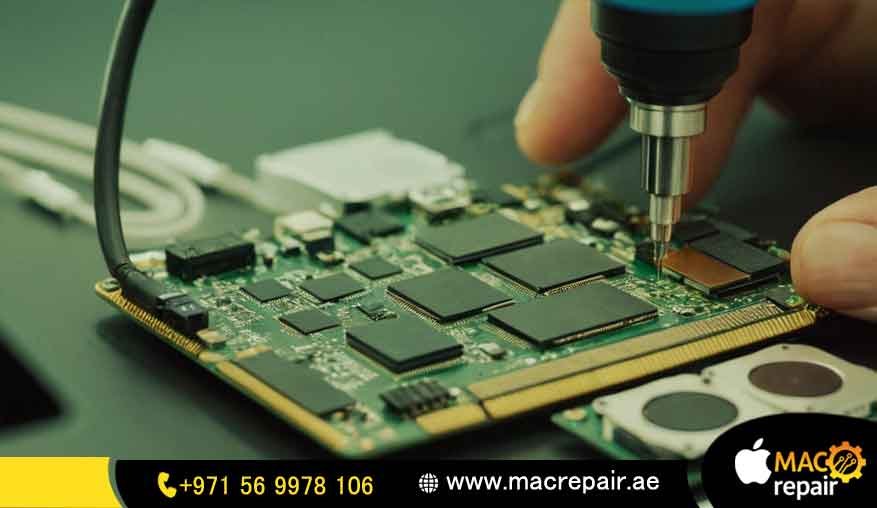
Is your premium Apple Silicon laptop having bad sound issues, muffled audio, or maybe there is no sound coming out at all? When your work deadlines are very close, these kinds of sudden hardware problems can stop your whole business or office work completely. It is super frustrating when you want to jump into an important Zoom call or edit a video, but the audio just fails you. You do not have to worry, though, because we can get it sorted out fast.
At MacRepair.ae, we quickly fix these issues with high-quality repair services that are perfect for offices, creative design studios, and anyone who uses their laptop for heavy daily work across the UAE. Our specialized workshop can look deep into the tiny audio chips and mechanical parts to solve the problem with great accuracy. We know your Mac is an expensive tool, so we treat it with a lot of care. If you need a reliable MacBook M2 Speaker Repair done right the first time, our team is always ready to assist you.
Expert MacBook Pro M2 Distorted Sound Fix & Premium Audio Diagnostics
These days, everyday office work needs clear video calls, good audio recording, and perfect online meetings. When your laptop speaker stops working right, it really hurts your daily work productivity and makes important presentations look bad. If you are hearing some weird vibration or static noise when talking to your clients, getting a professional MacBook Pro M2 distorted sound fix is very important so that other small parts inside do not get damaged later. In our repair shop, we use advanced testing tools to find out if the problem is just a torn speaker cone, some hidden dirt inside, or if your main logic board is breaking down.
Every single laptop that comes to us gets checked carefully by a real expert Apple technician. They will always check for simple software settings bugs first before they open any screws. We test the main voltage lines and check the audio chips using standard Apple diagnostics steps so we can tell you exactly what is wrong. This detailed testing process helps us find hidden hardware issues that normal computer repair shops usually miss. No matter if you are working from Dubai, Abu Dhabi, or Sharjah, our business repair setup makes sure your laptops get fixed fast without any long waiting time.
From MacBook M2 Speaker Replacement to Advanced Audio Troubleshooting
When the tiny sound membranes inside Apple Silicon laptops get torn, or if the coils burn out from liquid or old age, you cannot just patch up the old speaker anymore. Doing a proper, clean MacBook M2 Speaker Replacement is the only real way to get that original, beautiful sound back. This repair job is actually quite tricky because we have to carefully unbond some delicate internal parts and safely handle the large lithium battery just to reach the speaker system underneath.
Our service center never uses cheap, low-grade copy parts or temporary fixes that might ruin your laptop later on. We only use premium, original-spec hardware parts that match the exact power and sound properties of your Mac system. This careful choice protects the fragile circuits from sudden electrical spikes and keeps your laptop’s beautiful surround sound working exactly like a brand new machine out of the box. Our clients always appreciate how clean the internal assembly looks after we finish the job.
Solving the MacBook Air M2 Speaker Crackling Issue and Other Audio Faults
Sound issues can look very different depending on how you use your laptop, how old it is, and the weather around you. A very common issue that many remote managers and office workers face is the annoying MacBook Air M2 speaker crackling issue. This usually means the inside sound diaphragm has a tiny tear or some fine metallic dust got stuck inside the speaker box. If you leave it like that for too long, the physical tear can get worse and cause unstable electrical resistance, which can permanently damage the circuits sitting right next to it.
Diagnosing a MacBook M2 Speaker Rattling Repair Scenario
If your laptop body vibrates weirdly when you play bass-heavy music or certain sound frequencies, you are most likely facing a MacBook M2 speaker rattling repair situation. This usually happens because the special glue holding the sound module to the aluminum frame has dried up, or maybe high volume use warped the very thin plastic housing. Our tech team will open it up, clean the area nicely, and reseal or change the housing to stop that annoying buzzing noise for good.
Troubleshooting a MacBook M2 Low Volume Speaker Issue
When your music or voice output feels super weak even when you turn the volume slider all the way to 100%, it shows a clear MacBook M2 low-volume speaker issue. This frustrating drop in sound often happens due to a shorted voice coil inside or because some dirt is blocking the sound path right under the keyboard. We use special ultrasonic cleaning tools and microscopes to clear out the deep blockages and bring back the full, loud sound stage.
Resolving a MacBook M2 No Sound From Speaker Situation
There are not many things worse than experiencing a sudden MacBook M2 no sound from speaker problem when you are about to start an important business presentation. This dead silence usually means a cable came loose inside, an audio amplifier chip burned out, or the main logic board failed after a small power surge. Our team runs step-by-step voltage tests on the board to find the broken line and fix the sound output quickly.
Our Streamlined 3-Step MacBook Air M2 Audio Repair Process
We completely understand that time is money for business owners and creative agencies in the UAE. To make sure your work doesn’t stop for days, we have broken down our professional MacBook Air M2 Audio Repair service into three easy, transparent steps.
Advanced Apple Diagnostics and Audio Board Assessment
Our team can arrange a safe pickup of your device straight from your corporate office or home desk anywhere in Dubai, Abu Dhabi, or Sharjah. Once the machine arrives safely at our lab, our team runs deep diagnostic tests to inspect the whole internal audio setup from top to bottom.
Precision Hardware Replacement or Chip-Level Audio IC Reflow
Once your IT team or manager gives us the green light, our engineers start working on the micro-soldering or hardware swaps inside a clean, static-safe workspace. We use special tools made just for your specific Mac model so we never leave any bad scratches or marks on its nice aluminum body.
QA Acoustic Testing and Secure Delivery Across Dubai, Abu Dhabi & Sharjah
Every laptop we repair has to pass a strict sound frequency test to make sure both the left and right channels sound completely balanced and clean. After our quality check passes, we pack your laptop securely and deliver it right back to your location anywhere across the UAE.
Comprehensive MacBook Pro M2 Speaker Repair for All Apple Silicon Systems
The inside layout and sound engineering of Apple Silicon laptops are quite different depending on the model name and the screen size. For example, doing a proper MacBook Pro M2 Speaker Repair means working around a complicated, multi-layered speaker setup that is packed very tightly next to the cooling fans.
Dedicated MacBook Air M2 Speaker Repair Architecture (Models A2681, A2941)
The super-thin design of the 13-inch and 15-inch M2 Air models places the sound parts right next to the display screen hinge. This means the hot air venting out from the main processor flows right past your audio components. Professional MacBook Pro M2 Speaker Repair Protocols (Models A2338, A2779, A2780)
The 13-inch, 14-inch, and 16-inch M2 Pro laptops use a much larger setup with separate woofers and tweeters placed on the sides of your keyboard. Our repair process addresses each of these small drivers one by one, making sure the audio balance and phase alignment feel completely perfect when you listen to music.
Resolving Sound Failure Caused by Logic Board Failure and Circuit Shorts
A lot of times, what looks like a broken physical speaker is actually a deeper issue coming from a logic board failure inside the laptop’s brain. If a power line shorts out or the main audio processing chip gets too hot and degrades, the system can stop sending sound signals to your speakers entirely. If your laptop has a bad motherboard short circuit, our technicians can find the exact broken capacitor using high-tech thermal cameras.
This smart testing way is very important for fixing big problems like an overheating MacBook or a dead MacBook that won’t turn on at all. We work hard to repair the tiny broken copper tracks on the board, saving you from spending a fortune on a brand new laptop. Our team also fixes related issues like a no display issue, black screen, broken charging ports, or bad power delivery to get your office laptops working reliably again.
Secure Data Recovery During Complicated MacBook Repairs
Keeping your business files safe and confidential is our biggest priority when we fix corporate laptops. When a Mac has to go through deep micro-soldering or get completely taken apart, protecting your private company files and client records is just as important to us as fixing the physical sound. We know that a broken screen affecting business work or a hardware crash can feel scary when you do not have a recent backup.
If a serious motherboard issue stops you from opening your important business projects, our expert team can start a secure data recovery process to pull your files out safely.
Before we hand your computer back to you, our techs use formal macOS recovery modes to check that the operating system is completely stable and your file structure is healthy. This extra safety check means your team can open the laptop and get right back to work without worrying about software crashes or losing files.
Upfront MacBook M2 Speaker Replacement Pricing with No Hidden Fees
We believe in being 100% honest about our prices, which helps corporate clients manage their business IT budgets smoothly across the UAE. The price we quote you is what you pay, covering the full diagnostic check, premium parts, expert labor, and a real warranty. We want to ensure you know exactly what you are paying for before any work begins on your machine.
Express MacBook M2 Liquid Damage Speaker Repair Across the UAE
Accidentally spilling coffee, tea, or water on an office desk can quickly turn into a massive electronic emergency. Those wet liquids cause fast corrosion on the tiny copper paths inside, which makes a fast MacBook M2 liquid damage speaker repair absolutely necessary to save your laptop’s life.
Running power through a wet board will create a huge short circuit, which often ends up frying major chips or causing a dangerous battery swelling issue.
Bring your machine straight to our professional lab in Dubai, or use our quick courier service for a fast pickup from Ajman, Sharjah, or Abu Dhabi. Our team will open up the case, clean out all the liquid traces, and swap any corroded parts before the damage becomes permanent.
Tips to Prevent MacBook Damage
Following a few basic maintenance tips can save you from unexpected repair bills and help your premium Apple Silicon laptop last much longer.
-
Don’t Max Out the Volume: Try not to play music or video audio at 100% maximum volume for hours, because that heavy vibration can tear the thin speaker membranes over time.
- Use a Proper Sleeve Case: The weather in the UAE can get very humid, so using a nice padded, weather-resistant bag helps protect your machine when walking between air-conditioned buildings.
Why We Are Trusted Across the UAE
Many corporate companies, creative design teams, and IT managers across the country choose MacRepair.ae as their go-to repair partner. We back up our technical work with dependable Service Level Agreements (SLAs) that fit perfectly with local business needs.
This means we can handle simple speaker swaps and deep chip repairs all by ourselves under one roof. We focus heavily on fast turnarounds, total data privacy, and friendly communication, making us a partner you can truly rely on to keep your office hardware running smoothly.
Frequently Asked Questions
How long does a standard MacBook Air M2 Audio Repair take at your service center?
However, if the sound problem is happening because of liquid damage or a deep logic board failure, we might need 24 to 48 hours to do proper chip-level stability testing. Our team will always call or message you with regular updates so your office team can plan ahead easily.
What is the expected cost for a professional MacBook M2 speaker replacement in Dubai?
The total price mostly depends on the exact screen size of your laptop and whether it just needs a simple new speaker part or a complex chip repair on the main board. We always give you a clear, fixed quote right after we finish our initial diagnostic check, so you never have to worry about surprise charges or hidden fees later on. You can just drop us an email or message with your serial number, and we’ll give you an accurate estimate.
Can a MacBook Pro M2 distorted sound fix be handled without wiping my data?
Yes, absolutely, our tech team knows how incredibly important your work files are, so we do all our physical hardware repairs without touching your internal storage. We take data privacy very seriously for all our corporate clients, and we follow strict security rules to keep your information safe while we work. Even if your system needs deep motherboard repairs, we isolate the storage drive safely so your operating system and user files stay exactly where they belong.
Why is there suddenly no sound from the speaker systems on my MacBook M2?
A sudden total loss of sound can happen for a few reasons, like a broken connection cable inside, a blown audio amplifier micro-chip, or a sudden software bug inside the OS. If restarting your laptop completely doesn’t clear the issue, it usually means you have an open circuit or a broken hardware part on the inside logic board.
Will a MacBook M2 liquid damage speaker repair protect my internal SSD data?
Yes, getting your wet device to a professional shop fast is the best way to stop liquid corrosion from spreading into your main storage drive. Our emergency cleanup process removes all the sticky liquid residue and repairs any damaged copper traces before they eat into other parts. Even if your laptop is completely dead and won’t turn on, we can use advanced data tools to read and save your files directly from the board.
How do I resolve a persistent MacBook M2 low volume speaker issue?
When your laptop volume stays super quiet even though you turned all the software sound settings all the way up, it usually means fine dust is choking the small speaker meshes or the inside voice coil is failing. Our team can safely open the casing, clear the internal sound tubes, and put in fresh, loud drivers to fix it.
Book Your MacBook M2 Speaker Repair at MacRepair.ae Today
Please don’t let broken speakers or annoying sound buzzes slow down your daily business workflow. Our friendly, expert team is completely ready to fix your premium Apple Silicon laptop back to factory-perfect condition with fast, reliable service and completely honest pricing. We always make sure that your machine receives the absolute best treatment possible while it is in our care.
Get your office laptops fixed quickly by contacting our local repair team today.
-
Call Now: +971 56 9978 106
-
Email Us: Info@macrepair.ae
-
Official Website: https://macrepair.ae