
Macbook m1 ram upgrade
Hey there! If you are using an Apple M1 computer, you probably know how fast they are. But sometimes, that “8GB memory” just isn’t enough for big projects. Dealing with the new App...
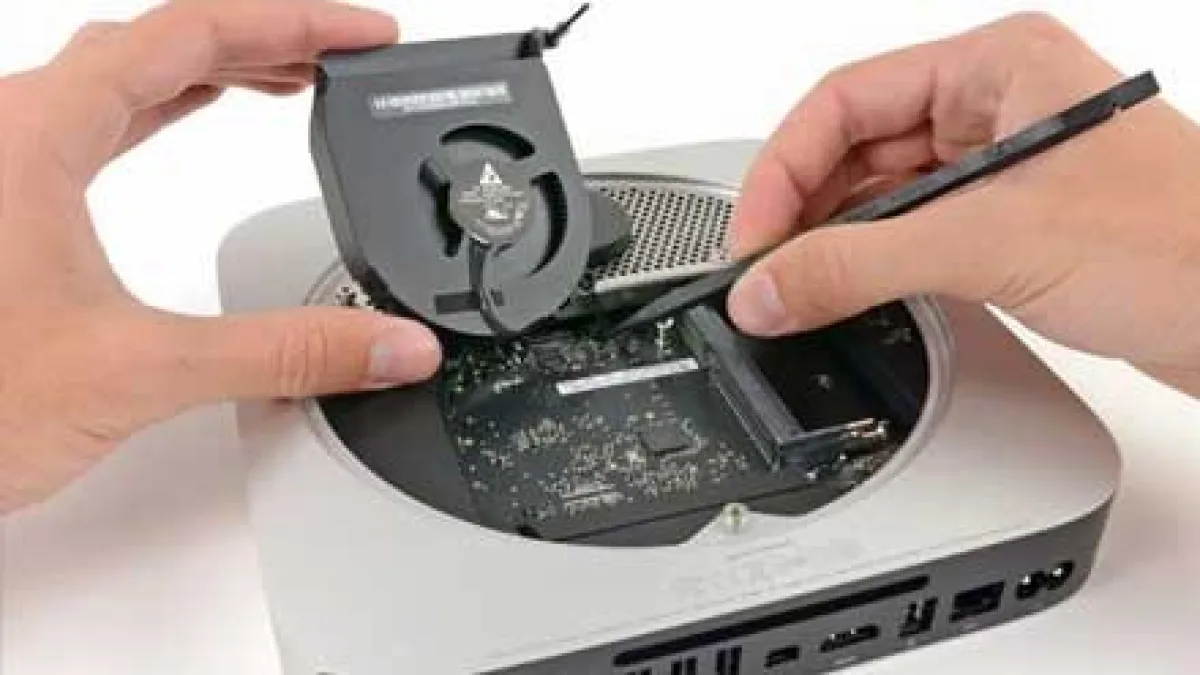
Hey there! If you are using an Apple M1 computer, you probably know how fast they are. But sometimes, that "8GB memory" just isn't enough for big projects. Dealing with the new Apple Silicon chips can be a bit tricky because the design is so different from the old ones. At MacRepair.ae, we really understand how the M1 works. We help people fix that annoying "8GB bottleneck" by tuning the system and fixing the logic board at a very deep level. If you are looking for a MacBook M1 RAM upgrade, you should know that even though the RAM is part of the chip, we can still make your system way faster than it is now.
Why Choose MacRepair.ae for Your Apple Laptop RAM Upgrade
The Trusted Choice for an Apple Laptop RAM Upgrade and System Tuning
Choosing who fixes your Mac in the UAE is a big deal, especially since the parts are soldered down. Getting an Apple laptop RAM upgrade these days isn't like the old days when you just clicked in a new memory stick. Now, it's all about making the "System on a Chip" (SoC) work perfectly. Our team does deep hardware health checks to make sure your built-in memory isn't being slowed down by heat or bad background apps.
We give both regular people and big companies a clear plan to get more speed. We don't just act like a normal shop; we look at how the CPU and the memory talk to each other. When you come to us for an Apple laptop RAM upgrade needs, you're getting a professional setup. It makes your Mac feel as smooth and stable as a much more expensive model with more RAM.
Our Apple Repair Services: Maximizing M1 Efficiency
Our skills go way beyond just fixing some software. We do everything from basic Apple diagnostics to fixing a total logic board failure. If your work is starting to feel slow, a MacBook M1 memory upgrade using our special optimization can really help. We check your "Swap Memory" to see if your SSD is working too hard. This is usually why the 8GB models start to lag after a year or two.
It doesn't matter if you are a student in Sharjah or a business in Abu Dhabi, we can help with everything. We do MacBook screen replacement and even very hard motherboard work. Also, we are experts at SSD upgrade for older Macs and fixing macOS troubleshooting issues on the new M-series chips to keep you working without any stress.
Implementing a MacBook M1 Slow Performance Fix via Advanced Diagnostics
Is your Mac always showing you that "spinning beachball"? Then you probably need a MacBook M1 slow performance fix. In these new M1 Macs, memory pressure makes the computer use the hard drive (SSD) as extra RAM. This makes the SSD wear out faster and slows down apps like Photoshop or video editors. Our tech guys do a deep clean of the system to make sure your most important apps get all the power. This is the best MacBook M1 slow performance fix for people who are tired of waiting for their Mac to catch up.
Small companies in Dubai shouldn't feel like they have to throw away their Mac and buy a new one just because of a software update. We offer a much cheaper way to get speed back by changing how macOS uses its resources. This professional tuning makes sure your memory is used only for the things that matter to you. You will definitely feel the difference in how fast your apps respond every day.
MacBook Problems We Fix: From Overheating to Motherboard Shorts
Does your laptop feel like a hot stove? An overheating MacBook is a big problem because the computer will slow down the RAM and CPU so it doesn't break. If you were looking for a MacBook Pro M1 RAM upgrade, sometimes the real fix is just cleaning the cooling system. We put on fresh thermal paste and clean out all the dust. This lets your chip run at full speed again without the "brain" of the computer forcing it to slow down to stay cool.
Sometimes, things get worse and you end up with a dead MacBook that won't even turn on. This usually happens because of a motherboard short circuit or an SSD failure. For these scary situations, our MacBook Pro M1 RAM upgrade experts use microscopes to find the problem on the board. We make sure every tiny part is talking at the right speed. If the data bus is slow, your Mac will feel slow, even if you have enough RAM.
A Seamless MacBook Hardware Upgrade Service: Our 3-Step Success Path
Apple Diagnostics;
Chip-level repair or Optimization;
Secure Testing
For anyone here in the UAE looking for a MacBook hardware upgrade service, we keep things very simple and honest. We start with a full Apple diagnostics test to see exactly how your memory and hardware are doing. This data helps us see if the lag is because of a broken part or just messy software. We want to make sure we give you the right fix for your specific Mac.
Once we know the problem, our MacBook hardware upgrade service team gets to work. If the hardware is fine, we do the "Optimization Upgrade" to fix how the system uses resources. But if we see something like battery swelling pushing against the board, we do a chip-level repair. Finally, we run the Mac for 24 hours under a heavy load to make sure it won't crash when you are working on something important.
Devices & Models We Handle: MacBook Air M1 RAM Upgrade Experts
The M1 Air is super popular in the UAE, but because it doesn't have a fan, it can get really hot. Our MacBook Air M1 RAM upgrade service is made just for this fanless design. We help you manage the heat better, which is super important. If the Air gets too hot, the memory starts to struggle, and everything crawls. We fix that so you can multitask without the system freezing up.
For the Pro, Max, and Ultra models in Sharjah or Dubai, we do the same thing but on a bigger scale. These are the machines people use for heavy work like video editing. We make sure the "High-Bandwidth Memory" on these chips is fully used. This means smoother video playback and faster exports for designers who need a MacBook Air M1 RAM upgrade level of care for their high-end machines.
MacBook Motherboard & Logic Board Repairs: Beyond Standard Memory
When you work on the tiny parts of an M1, you need an Apple MacBook M1 RAM upgrade pro who knows the board layout. On the M1, the memory is actually sitting right on top of the processor! This means liquid damage or a motherboard short circuit is a huge risk. Our techs are trained to work on these tiny parts to fix the power lines that feed your RAM.
Data Recovery Solutions: Protecting Your Assets During Upgrades
For our business customers, the files on the computer are often worth more than the computer itself. We offer a MacBook M1 RAM upgrade service that includes world-class Apple data recovery. M1 Macs use encrypted SSDs that are locked to the CPU. If the board dies, getting data back is very hard and needs a pro. We work in a very secure lab to make sure your private files stay safe while we try to get your system back.
Clear Pricing for Our Premium MacBook Memory Expansion Service
Pricing & Repair Transparency: No Hidden Fees
We think a MacBook memory expansion service should be easy to understand. Before we start any work, we give you a clear quote for the check-up and the fix. Whether you need a battery replacement because your laptop is bulging or a MacBook charging issue repair, you will know the price before we start. We don't have hidden fees for just talking to us.
Being honest has made us the favorite place for iMac repair and Mac help in the UAE. By offering a set price for our MacBook memory expansion service and tuning, we help small businesses keep their M1 Macs longer. It’s a lot cheaper than buying a new M3 Pro! We also help with keyboard replacement and other fixes to keep your office running perfectly.
Emergency & Same-Day Repair Services in the UAE
Dubai moves fast, and we know you can't wait for weeks. We offer a MacBook M1 RAM upgrade optimization with same-day service. If you bring your slow Mac to us in the morning, our guys can often have it fixed and ready by evening. This is perfect if you have a no display issue or if your Mac is just stuck on the Apple logo.
Proactive Maintenance and MacBook Air M1 Optimization for Long-Term Speed
Tips to Prevent MacBook Damage
To keep your M1 fast, you really need to avoid a motherboard short circuit. We always tell people: don't use those cheap, unbranded USB hubs. They can send a power spike into the Mac and break the power chip. Proper MacBook Air M1 optimization is about more than just apps; it's about using good accessories and keeping the hardware safe from heat.
Also, we suggest our UAE customers keep at least 20% of their SSD empty. Since M1 Macs use the SSD as "Swap Memory" when RAM is full, a full SSD will cause macOS recovery errors and crashes. If you follow these easy MacBook Air M1 optimization tips, you won't need to buy a new computer for a long time.
Why We Are Trusted Across UAE (Dubai, Abu Dhabi, Sharjah)
MacRepair.ae offers an Apple MacBook M1 RAM upgrade service that is just as good as the factory, but much faster. We don't just tell you to "buy a new one" like other shops might. We find smart ways to make an 8GB M1 act like a much more powerful machine. From the Burj Khalifa area to Sharjah, we are known for fixing the hard cases that others can't.
FAQs: Navigating the MacBook M1 RAM Upgrade Service
-
Can you physically add more RAM to an M1? The RAM is actually inside the M1 chip, so you can't just pop in more. But, our MacBook M1 RAM upgrade service tunes the software and hardware to make the RAM you have work much, much faster.
-
How long does it take to fix a motherboard? For things like liquid damage or a dead MacBook, it usually takes 24 to 48 hours. It depends on how much damage there is from the spill or the short circuit.
-
Is my data going to be safe? Yes, we are experts at secure data recovery. We use special tools to keep your data safe while we fix the hardware. We know how important your files are.
-
Will this work for my M1 Mac? Yes! Our MacBook M1 RAM upgrade service works for the Air, the Pro, and even the newer M2 or M3 models that feel a bit slow.
-
Do you use real parts? We use genuine or the best OEM parts for everything, like keyboard replacement, battery replacement, and screen repairs.
-
What if my Mac is stuck on the Apple logo? This often indicates a software corruption or SSD issue. We perform a full system re-flash and hardware check to resolve boot loops quickly.
Revitalize Your Mac Today
Book your MacBook M1 memory upgrade consultation with MacRepair.ae
Your MacBook M1 is a masterpiece of engineering, but even the best computers need some love to stay fast. Whether you are dealing with an overheating MacBook, a keyboard malfunction, or just a computer that's too slow for your tabs, we are here to help. Our MacBook M1 memory upgrade options are for people who need their Mac to work perfectly every day.
Don't let a "low memory" warning slow your business down. Trust the experts who really know how Apple Silicon works.
Call Now: +971 56 9978 106
Visit Our Site: /
Email Us: Info@macrepair.ae
Experiencing Apple Hardware Issues? Expert Repair for MacBook RAM Upgrade in Dubai
Do not risk permanent logic board damage or data loss with unqualified technicians. Contact our Dubai laboratory for a free 100% no-obligation diagnostic assessment.
Related Articles
Explore more lab guides, recovery procedures, and case studies

MacBook M4 Graphic Card Repair in UAE
Aug 28, 2025
MacBook M4 Screen Repair in Abu Dhabi
Aug 26, 2025Specialized Hardware Services & Apple Models
Interconnected repair solutions across all Apple MacBook hardware fault types and device generations.